
DXF Data Compatibility
Various types of CAD software are used in many industries.
These CAD software can be compatible by using "DXF data (.dxf)".
Here we introduce "DXF" as knowledge to be acquired when exchanging data not only with CAD software but also with other applications, especially with external business partners.
What is DXF?
"DXF" is a file format developed by Autodesk, the developer of CAD software such as AutoCAD.
When exchanging data between AutoCAD and the same type of CAD, the original extension data is fine, but when exchanging data between different CAD, it is common to convert the data to DXF format (.dxf).
DXF and AutoCAD Versions
There are several versions of DXF to match the various versions of AutoCAD.
(excerpts)
Code AutoCAD Version
AC1032 AutoCAD 2018
AC1027 AutoCAD 2013/LT2013
AC1024 AC1024 AutoCAD 2010/2011/2012
AC1021 AC1021 AutoCAD 2007/2008/2009
AC1018 AutoCAD 2004/2005/2006
AC1015 AutoCAD 2000/LT2000
AC1014 AutoCAD R14/LT97/LT98
AC1012 AutoCAD R13/LT95
AC1009 AutoCAD R12/LT2/GX-5
Various DXF formats
In addition to the AutoCAD versions listed above, there are actually different DXF formats with the same .dxf extension. The reason for this is that the code for this DXF is open, which is how it came to be used as an intermediate file format in many situations on its own.
Because it is open, CAD manufacturers use it on their own, and each CAD system handles different types and structures of data, so there is no 100% compatibility.
This is the reason why there are data omissions, including scale, line width line color information, and garbled characters.
DXF format for apparel CAD
The apparel CAD formats used in the apparel field are compatible with each other.
AAMA (American Apparel Manufacture Association)
TIIP (Japan Women's and Children's Clothing Industry Association standard)
ASTM (American Industrial Standards)
DXF files in these formats (standards) are widely used, and some CAD systems can read the generic DXF (Standard DXF file) exported from AutoCAD and Adobe Illustrator.
Cutting Plotter Support for the Apparel Industry
In some cases, direct output from apparel CAD or Adobe Illustrator to an apparel-specific cutting plotter requires a physical cable connection, such as an RS232C cable.
In this issue, we will introduce an offline output method using "Adobe Illustrator" and a "USB memory stick.
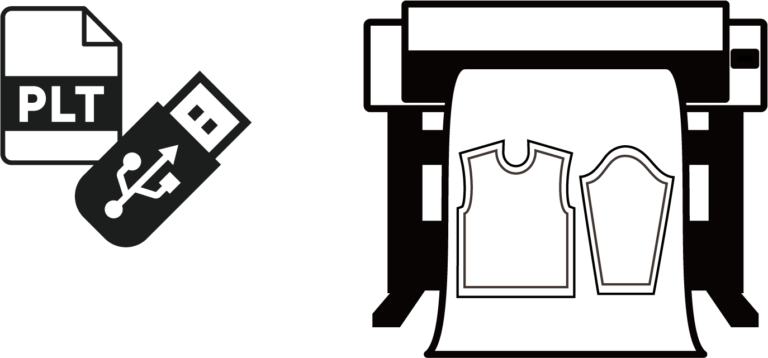
Benefits of Offline Output
- In the case of a school, etc., where the work PC and plotter are located far away from each other (on different floors).
- When the plotter is located in a sewing factory in a rural area and the staff there is not proficient in PC operation.
Even in such cases, anyone can easily output to a plotter as long as the plotter is connected to a power outlet and a USB memory stick is available.
Environment required for offline output
Graphtec's CE7000-130AP model is equipped with an offline output function via USB memory.
The ".plt" file output from an apparel CAD or other application can be saved to a USB memory, and the data can be selected from the plotter menu for offline output.
In case of using Adobe Illustrator
If cutting data is created in Adobe Illustrator, it is necessary to use the Adobe Illustrator plug-in called "AIPLOT-Pro" to output ".plt" files.
Specific operation flow
Create a pattern in Adobe Illustrator (using the segment tool, seam allowance tool, etc.).
↓
Output .plt file from "AIPLOT-Pro" installed in Adobe Illustrator.
↓
Save the output .plt file to USB memory.
↓
Insert the USB memory stick into the USB port on the main body of the "CE7000-130AP" plotter.
↓
Select "USB Output" from the menu on the plotter display, and select the appropriate data (.plt) to execute.
↓
Perforation cut paper output is completed.
Required Configuration
Adobe Illustrator
+
AIPLOT-Pro (our plug-in product)
+
USB memory stick
+
CE7000-130AP